


Secure access

from the browser.

Pam Terminal is privileged access management for infrastructure teams — full-session screen recording, deep audit logging, vaulted credentials, and access strategies over SSH, RDP, VNC, and Telnet from the browser.

Create an account Talk to us

Offline-ready · Docker package · Screen recording

Screen Recording
Offline Capable
Docker Package
Session Replay
Deep Audit Logs
SSH / RDP / VNC
Credential Vault
Access Strategies
Session Watermark
Clipboard Audit
LDAP / OIDC
Signed License

Privileged access controls are the #1 foundation for secure operations

Screen recording and forensic-grade logs turn every privileged session into evidence — not just a connection.
Sessions recorded
Replay retention
0
UI languages
0
Log event types
0
Protocols supported
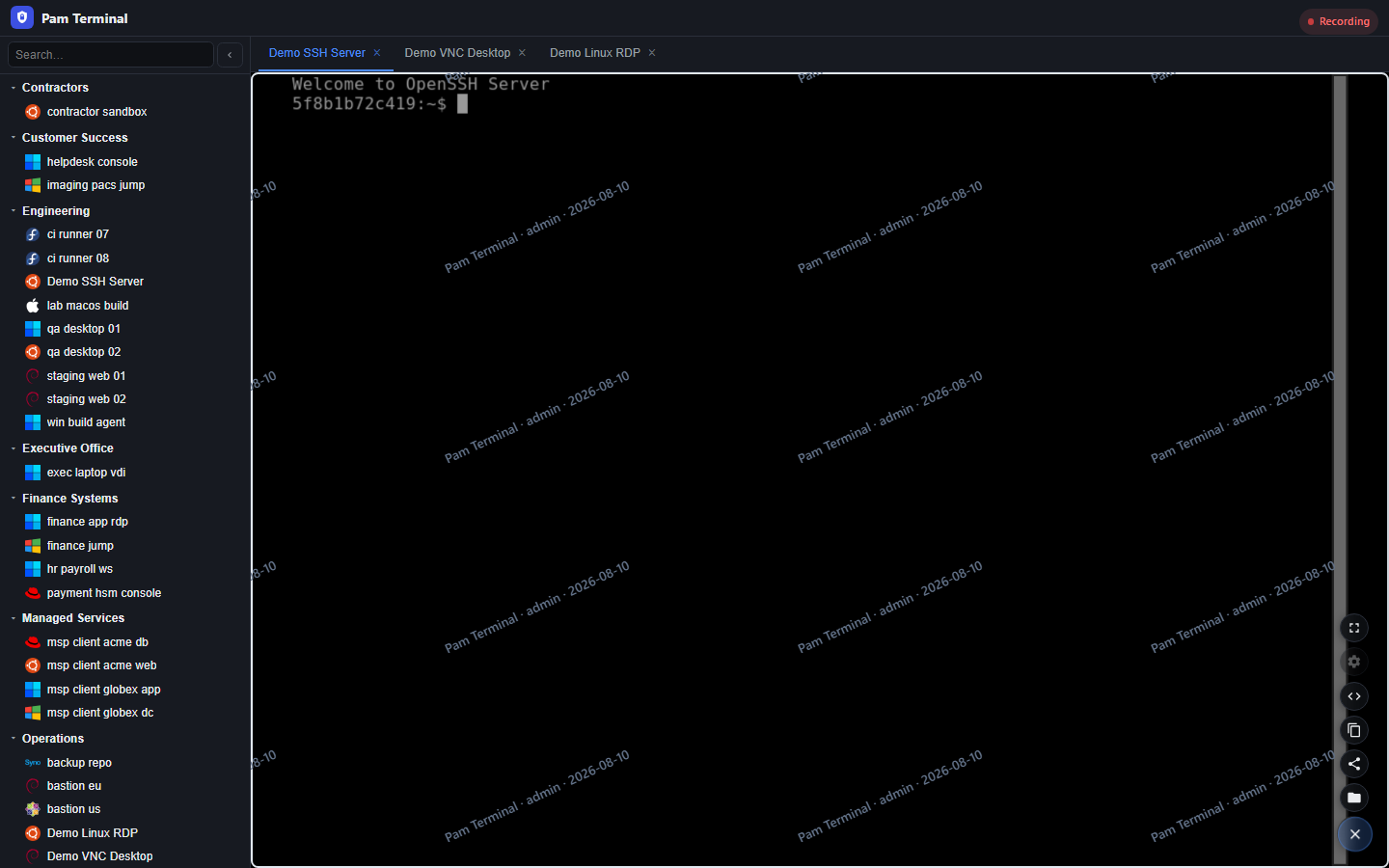
Full-session screen recording
Not just connection logs — capture the privileged desktop itself and replay every action for forensics, compliance, and incident review.
Market differentiator
  • Screen capture per session — SSH, RDP, VNC, and Telnet retained for replay.
  • Live join + recording — watch operators in real time while evidence is written.
  • Forensic-grade audit trail — login, session, clipboard, file transfer, and command events in one searchable stream.
Ships as a Docker package
Self-contained Compose packs for your own hosts — with signed offline licensing when the site is air-gapped. No cloud control plane required.
Docker Docker
  • Docker Compose pack
  • Air-gapped / offline ready
  • Signed offline license
  • No cloud dependency

Images ship for 64-bit hosts only.

  • Intel AMD amd64 (x86-64) Supported — Intel/AMD 64-bit PCs and servers
  • Arm arm64 (AArch64) Supported
  • x86 32-bit not supported x86 32-bit Not supported

Deliver Pam Terminal as a self-contained Docker package, install on infrastructure you control, and keep privileged access running offline with signed licenses.

Minutes to connect,
sessions stay screen-recorded

From asset inventory to full-session screen recording and forensic logs — four steps your ops team already understands.

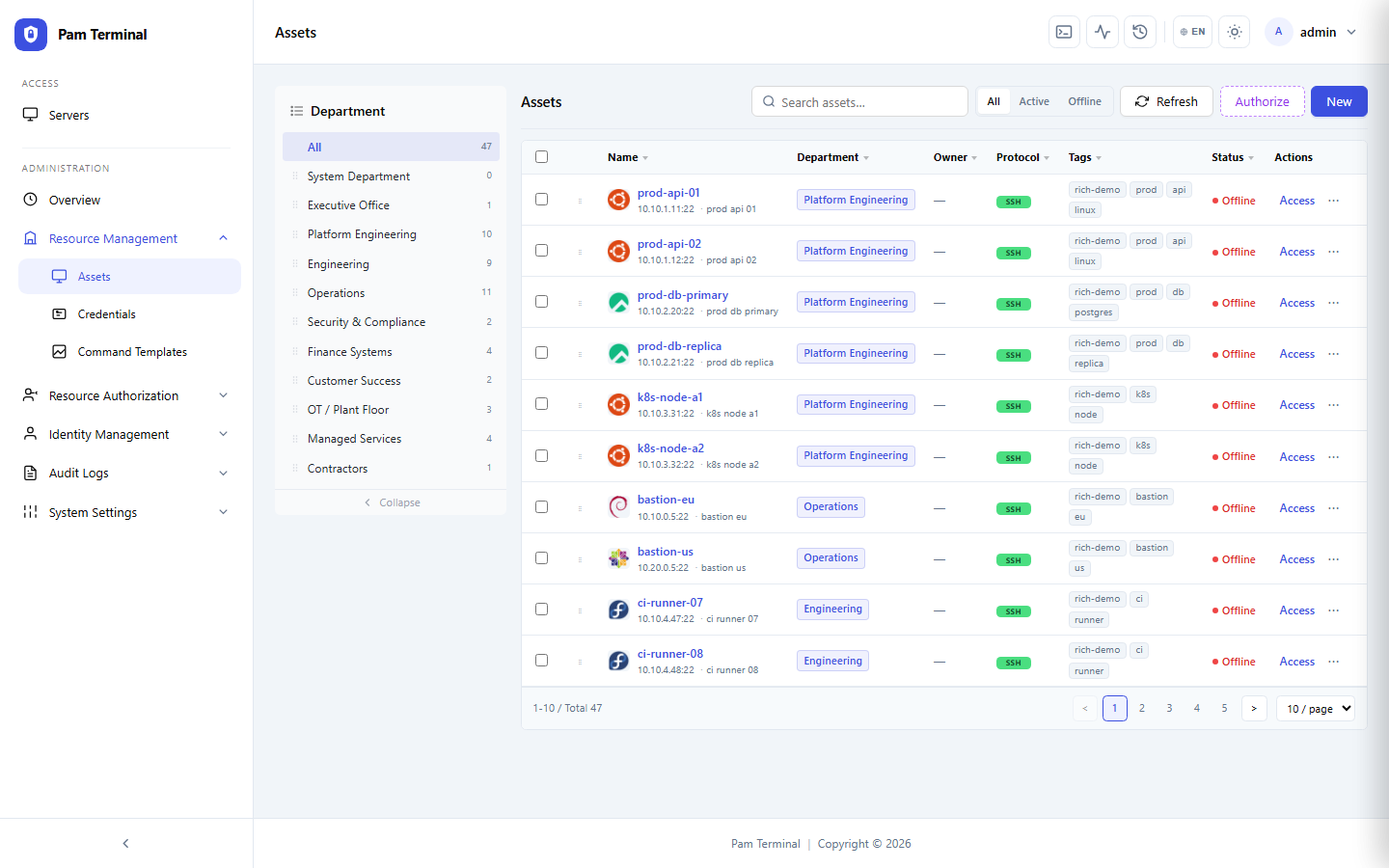
Pam Terminal assets inventory for registering hosts and protocols
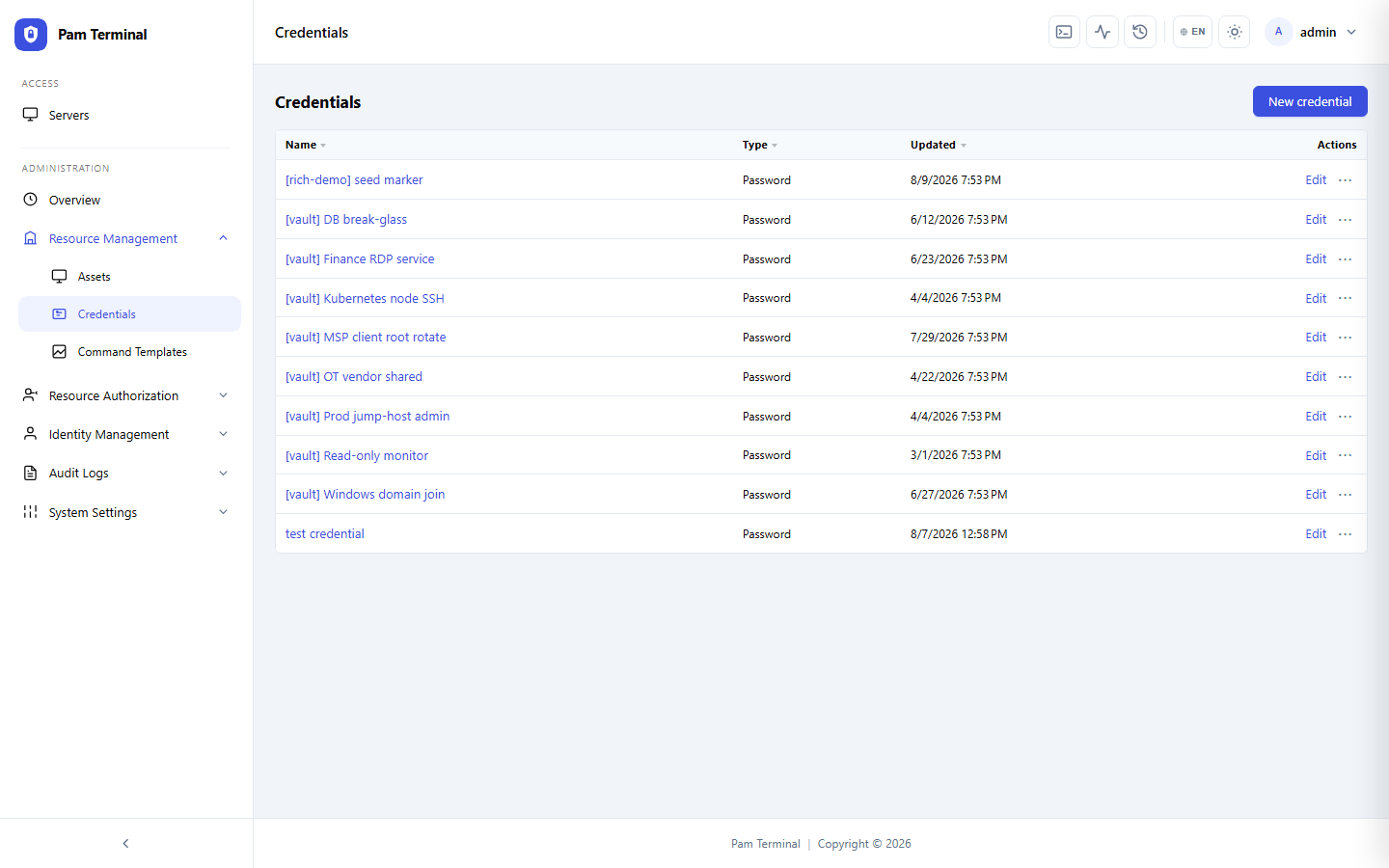
Pam Terminal credentials vault for strategies and shared secrets
Pam Terminal browser workspace with multiple live session tabs
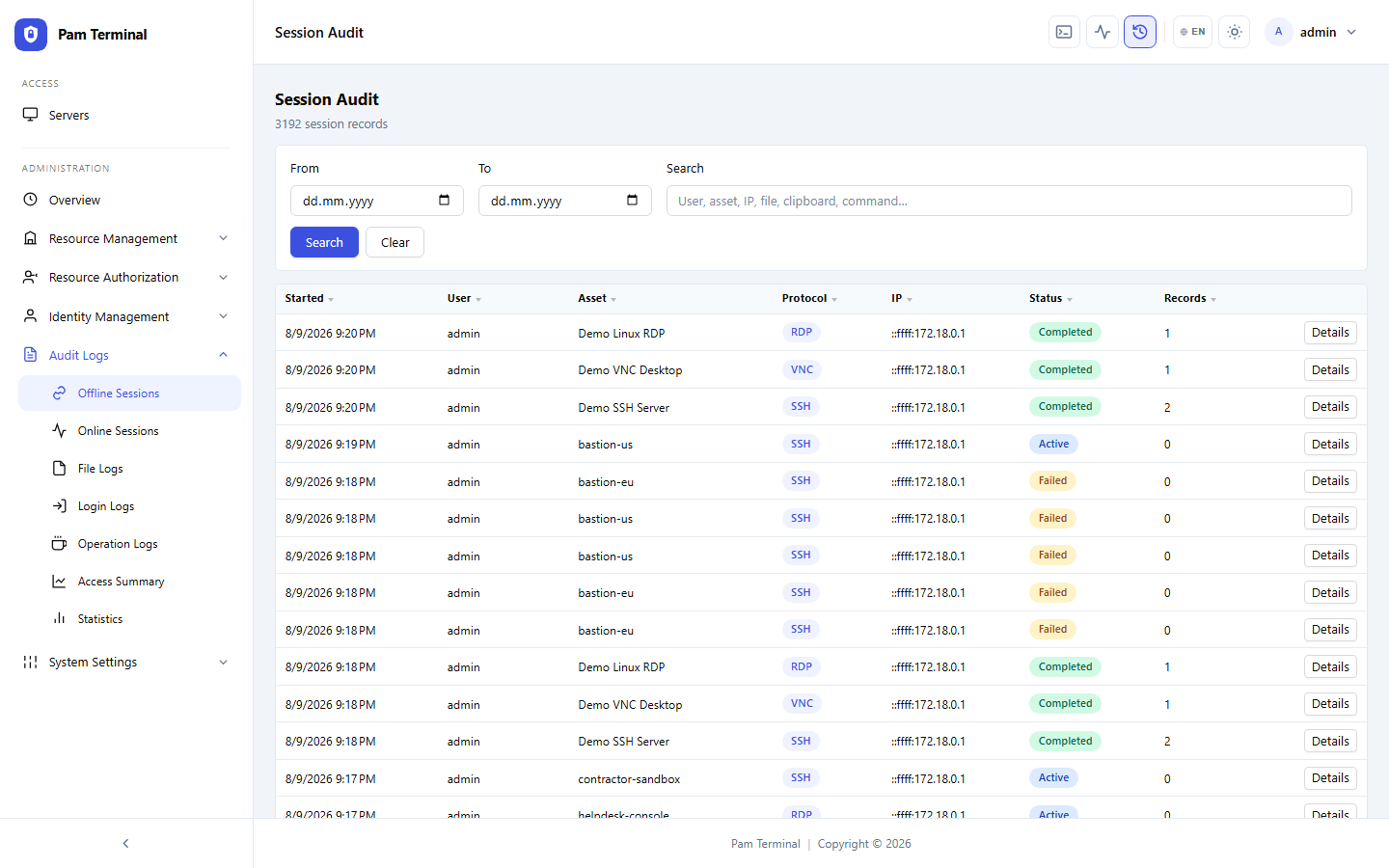
Pam Terminal offline session audit and replay inventory
  • Register your assets

    Add hosts, protocols, and gateways so operators know exactly what they can reach.

  • Apply strategies & vault secrets

    Scope departments and roles, vault shared credentials, and set upload, download, and clipboard strategies per asset.

  • Connect from the browser

    Launch SSH, RDP, VNC, or Telnet sessions without shipping another desktop client.

  • Screen-record, audit & replay

    Capture the full privileged desktop, log clipboard and file moves, watch live, and retain recordings for forensic review.

Full control,
no client sprawl

Tune vaults, access strategies, watermarks, transfer audits, and gateway routing for every environment.

Login lockout Admin IP allowlist

Hardened admin plane

Require lockouts, session timeouts, admin disconnect controls, and IP allowlists for the console.

pamterminal.com

Pam Terminal

Strategy applied
Clipboard blocked

Access strategies

Allow or deny upload, download, clipboard, and session drive per asset group — without another VPN profile.

Session watermark Clipboard audit File transfer audit Command filter OIDC claim map

Evidence & identity

Watermark sessions, audit clipboard and transfers, blacklist risky commands, and map OIDC claims to roles.

Powered by guacd, managed by your team

Every privileged session flows through gateways you control — with identity, policy, and audit built in.
1
Sign in with LDAP or OIDC and land on a controlled dashboard.
2
Assign roles, departments, and asset permissions.
3
Review assets, protocols, and gateway health in one place.
4
Screen-record sessions and stream forensic audit events.
5
Manage TLS certificates and HTTPS from the admin UI.
6
Apply signed offline licenses, run jobs, and back up config.
1
Sign in with LDAP or OIDC and land on a controlled dashboard.
2
Assign roles, departments, and asset permissions.
3
Review assets, protocols, and gateway health in one place.
4
Screen-record sessions and stream forensic audit events.
5
Manage TLS certificates and HTTPS from the admin UI.
6
Apply signed offline licenses, run jobs, and back up config.

FAQs

Pam Terminal is a privileged access gateway with full-session screen recording and forensic-grade audit logs: every connection can be authorized, watermarked, recorded to video-like replay, and correlated with clipboard, file-transfer, and command events — far beyond plain VPN reachability.

Yes. Pam Terminal is distributed as a Docker package (Compose pack) you deploy on your own infrastructure. Signed offline licenses keep the console operable in air-gapped environments — no cloud control plane required.

Browser-based SSH, RDP, VNC, and Telnet through guacd gateways you control — with optional command filters on SSH and custom connect profiles.

Shared credentials stay in the vault instead of on laptops. Access strategies let you allow or deny upload, download, clipboard, and session drive per asset group, while clipboard and file-transfer audits keep a trail of what moved.

Sign in with LDAP or OIDC, map claims to roles, organize users and assets by department, and keep personal assets separate from shared inventory. Login lockout and admin IP allowlists harden the console itself.

Yes. Brand the UI and PWA for your organization, and ship the console in 29 languages so operators and auditors work in their preferred locale.

Full-session screen recording and replay, live monitoring, command snippets, scheduled jobs, config backup, TLS certificate store, signed licensing, and gateway health — so privileged access stays operable after go-live.

Yes. Pam Terminal can capture the privileged session display for SSH, RDP, VNC, and Telnet so security teams can replay exactly what happened on screen — a selective capability most VPN and jump-host tools do not provide.